Learn how AI agents can leverage the resources and guidelines provided by the Serendie Design System.
Last updated 5/14/2026
What is Serendie MCP Server
The Serendie MCP Server is a Model Context Protocol server designed to efficiently leverage the Serendie Design System from AI agents.
By connecting this MCP server to various AI agents, the AI can autonomously obtain guidelines, best practices, and resource lists—including components and icons—provided by the Serendie Design System. This enables an application development workflow that follows the Serendie Design System.
The Serendie MCP Server is published as a remote MCP server, so you can start using it by simply configuring the following endpoint.
https://serendie.design/mcp
If your AI agent supports Agent Skills, we recommend setting them up as well. This helps the AI agent use the tools provided by the MCP server more effectively.
Toolset
The MCP server provides capabilities to AI agents in units called “tools.” The AI agent decides which tool to use based on the prompt and context. The tools currently provided by the Serendie MCP Server are:
Tools for listing and retrieving details of Serendie UI components and their properties
Tools for listing and retrieving design token details
Tools for listing and retrieving Serendie Symbols details
Tool for retrieving various guidelines published on this site
The implementation of each tool is available on the GitHub repository (serendie/serendie-web).
AI agents such as Claude Code and Figma Make enable prototyping with natural language. By adding the Serendie MCP Server, you can quickly build implementations using Serendie UI.
Through the MCP server, AI agents can reference guidelines and acquire foundational knowledge and best practices for Serendie UI, leading to autonomous, high-quality prototyping.
Implementing from Designs
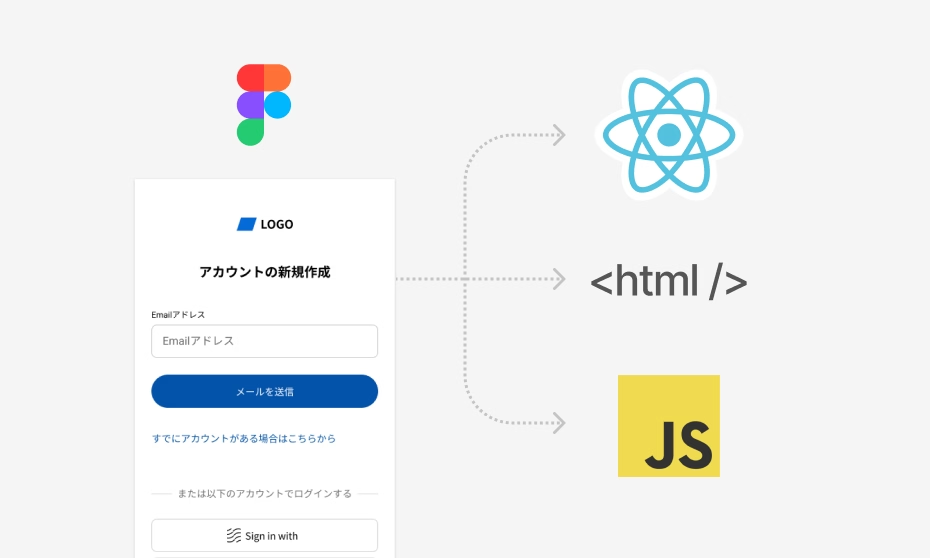
Serendie UI provides Figma components (design) and React components (implementation) as a pair, with mappings established through Figma Code Connect. By combining the Serendie MCP Server with the Figma MCP Server, you can implement designs made with the Serendie UI Kit quickly and with high quality.
Using the Figma MCP Server, AI agents can read design data. After configuring the MCP server, simply tell your AI agent something like “Implement the currently selected Figma design using Serendie UI”—the AI agent will autonomously set up Serendie UI, learn how to use the various components, and generate high-quality code suited to your project environment.
Claude Code supports installation as a Plugin. Since it bundles Agent Skills and MCP server configuration together, and updates are applied automatically, we recommend installing as a Plugin for Claude Code.
Launch Claude Code and run the following commands in order:
In Figma Make, workspace administrators can set up custom connectors to use the Serendie MCP Server. Specify the endpoint https://serendie.design/mcp in the custom connector settings.
Within Mitsubishi Electric, we have prepared recommended environments for smooth adoption. See SharePoint for details.
LLMs.txt
LLMs.txt is a file that helps AI agents efficiently use the various Serendie UI documentation. In scenarios where an MCP server is not available, you can point your AI agent to this LLMs.txt to provide it with information equivalent to the guidelines on this site.
We provide two versions via the links below. Specify these URLs to your AI agent:
LLMs.txt — A concise list of document descriptions and URLs